How to Delete a Pet
Last updated: June 24, 2026
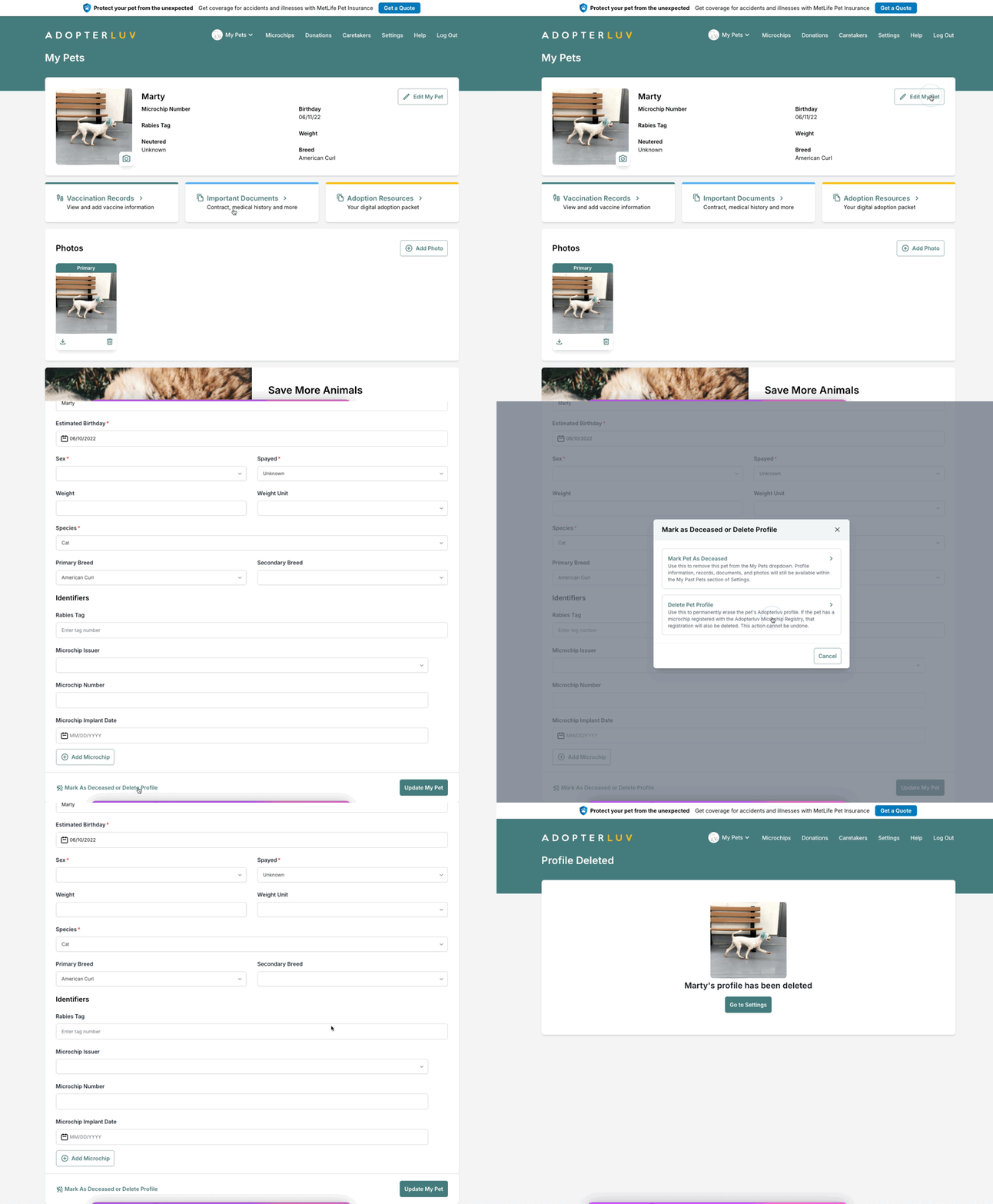
You can delete any pets from your Adopterluv account as needed. To delete a pet, follow these steps:
On the pet's profile, click the Edit My Pet button.
Scroll to the bottom of the page and click the Mark As Deceased or Delete Profile button.
Click the Delete Pet Profile button, read the warning, and click the red Delete button.